Hentai 생성을 위한 Automatic1111 Stable Diffusion WebUI 가이드 (SD1.5 튜토리얼)
g
By gerogero
Updated: August 3, 2026
이 가이드는 Automatic1111 Stable Diffusion WebUI를 사용하여 가능한 한 빨리 품질 높은 NSFW 이미지를 생성하는 데 도움을 주기 위한 것입니다. 우리는 몇 가지 Stable Diffusion 1.5 모델과 Pony Diffusion 모델을 예시로 사용할 것입니다.
A1111을 선택한 이유는 무엇인가요? 그것은 Stable Diffusion을 위한 가장 일반적으로 사용되는 WebUI입니다. 하지만 업데이트가 느려지고 있으므로 더 많은 업데이트를 받는 WebUI를 사용하는 것이 더 나을 수 있습니다.
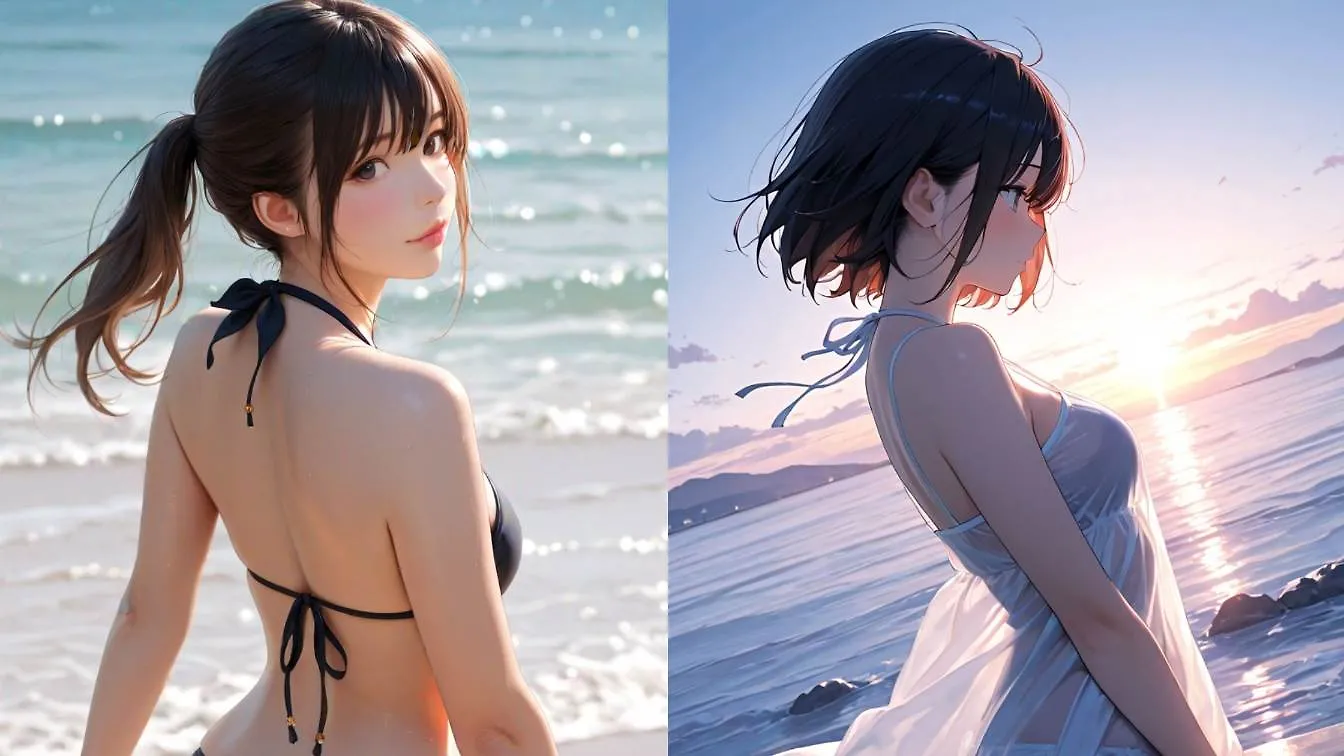
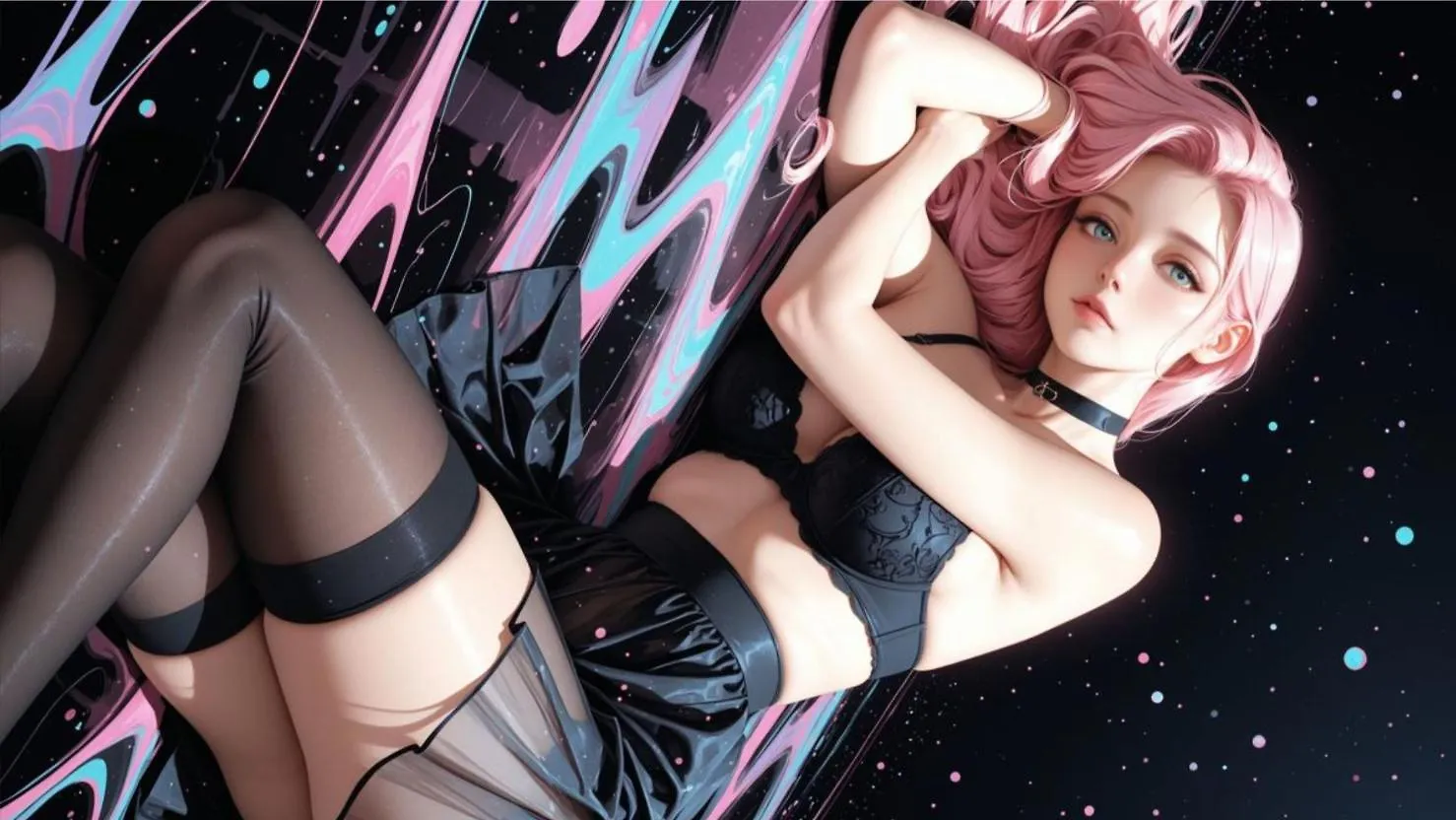
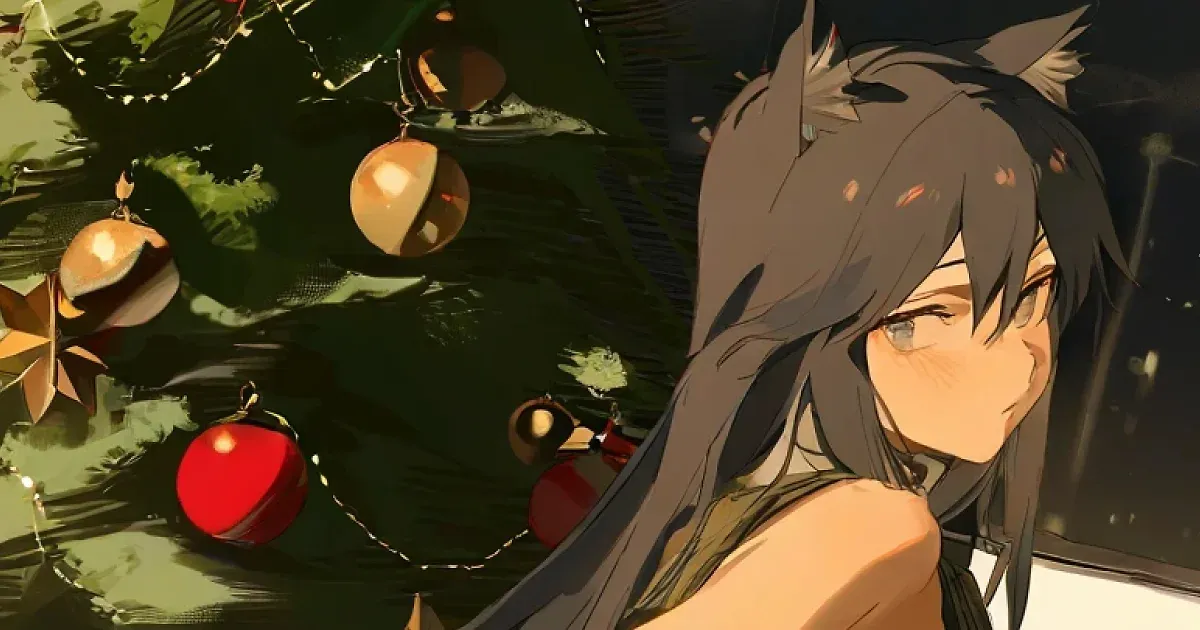
이 가이드에서는 다음과 같은 이미지를 생성할 것입니다:
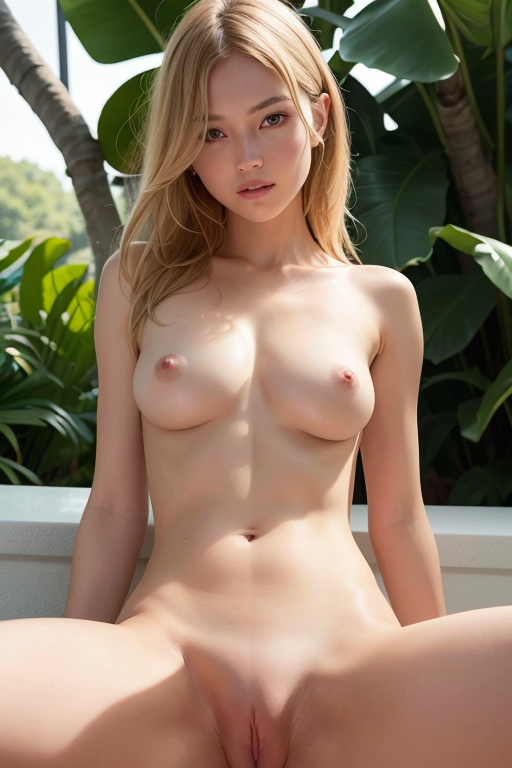
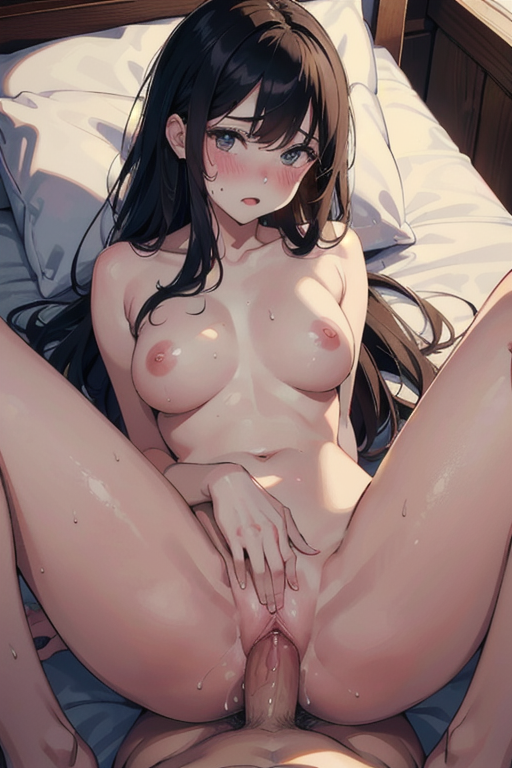
이 가이드를 따르면 매우 사용자 정의가 가능하고 무료인 설정을 얻을 수 있습니다.
이 사이트에는 우리가 이 가이드에서 할 것들의 미리보기를 제공하는 무료 생성기가 있다는 것을 알아두세요:
이것은 저의 부끄러운 홍보입니다. 하지만 정말 부끄럽지 않은 이유는 우리의 생성기가 정말 좋기 때문입니다. 당신이 저를 믿지 않는다는 것을 압니다… 직접 시도해 보셔야 합니다.
이제 시작해 봅시다!
1. Stable Diffusion NSFW 모델 다운로드
Civitai.com는 NSFW AI 모델의 본거지입니다. Civitai는 계정이 있어야만 NSFW 모델을 보여줍니다.
계정을 등록한 후, 내비게이션 바에서 눈 아이콘을 클릭하세요. 모든 평점을 체크하고 “성숙한 콘텐츠 흐리게 처리 (R+)”의 체크를 해제하세요.
이제 모든 모델를 볼 수 있습니다, NSFW 모델도 포함해서요.
예를 들어, 저는 훌륭한 NSFW 모델인 chilloutmix를 다운로드할 것입니다.
2. AUTOMATIC1111 Stable Diffusion WebUI 설치
우리가 이미지를 생성하는 데 사용할 인터페이스입니다.
필요한 종속성이 충족되었는지 확인하고 다음에 대한 지침을 따르세요:
- NVidia (추천)
- AMD GPU.
- Intel CPU, Intel GPU (통합 및 분리형 모두) (외부 위키 페이지)
- Ascend NPU (외부 위키 페이지)
또는 온라인 서비스(예: Google Colab)를 사용할 수 있습니다:
Windows 10/11에서 NVidia-GPU를 사용하여 릴리스 패키지로 설치
sd.webui.zip을 v1.0.0-pre에서 다운로드하고 내용을 추출하세요.update.bat를 실행하세요.run.bat를 실행하세요.
자세한 내용은 NVidia-GPUs에서 설치 및 실행를 참조하세요.
Windows에서 자동 설치
- Python 3.10.6을 설치하세요 (Python의 최신 버전은 torch를 지원하지 않음), “Add Python to PATH”를 체크하세요.
- git을 설치하세요.
- stable-diffusion-webui 리포지토리를 다운로드하세요. 예를 들어
git clone https://github.com/AUTOMATIC1111/stable-diffusion-webui.git를 실행하세요. - Windows 탐색기에서 일반 사용자로
webui-user.bat를 실행하세요.
Linux에서 자동 설치
- 종속성을 설치하세요:
# Debian 기반:
sudo apt install wget git python3 python3-venv libgl1 libglib2.0-0
# Red Hat 기반:
sudo dnf install wget git python3 gperftools-libs libglvnd-glx
# openSUSE 기반:
sudo zypper install wget git python3 libtcmalloc4 libglvnd
# Arch 기반:
sudo pacman -S wget git python3
시스템이 매우 최신이라면 python3.11 또는 python3.10을 설치해야 합니다:
# Ubuntu 24.04
sudo add-apt-repository ppa:deadsnakes/ppa
sudo apt update
sudo apt install python3.11

# Manjaro/Arch
sudo pacman -S yay
yay -S python311 # python3.11 패키지와 혼동하지 마세요

# 3.11 전용
# 그런 다음 런치 스크립트에서 env 변수를 설정하세요
export python_cmd="python3.11"
# 또는 webui-user.sh에서
python_cmd="python3.11"
- 웹UI가 설치될 디렉토리로 이동하고 다음 명령을 실행하세요:
wget -q https://raw.githubusercontent.com/AUTOMATIC1111/stable-diffusion-webui/master/webui.sh
원하는 위치에 리포지토리를 클론할 수도 있습니다:
git clone https://github.com/AUTOMATIC1111/stable-diffusion-webui
webui.sh를 실행하세요.webui-user.sh에서 옵션을 확인하세요.
Apple Silicon에서 설치
지침은 여기에서 확인하세요.
3. 모델을 WebUI 폴더에 배치하기
모델 파일(.cpkt 또는 .safetensor) 다운로드가 완료되면 stable-diffusion-webui/models/Stable-diffusion 폴더에 배치하세요.
WebUI 시작하기
- Windows:
run.bat를 두 번 클릭하여 시작하세요. - Linux:
webui-user.sh를 실행하여 시작하세요. - Mac:
./webui.sh를 실행하여 시작하세요.
이렇게 하면 터미널 창이 열립니다. Running on local URL: http://127.0.0.1:7860라는 줄이 보이면 준비가 완료된 것입니다.
이 주소는 브라우저에서 자동으로 열려야 합니다. 열리지 않으면 웹 브라우저에서 다음 주소로 이동하세요: http://127.0.0.1:7860
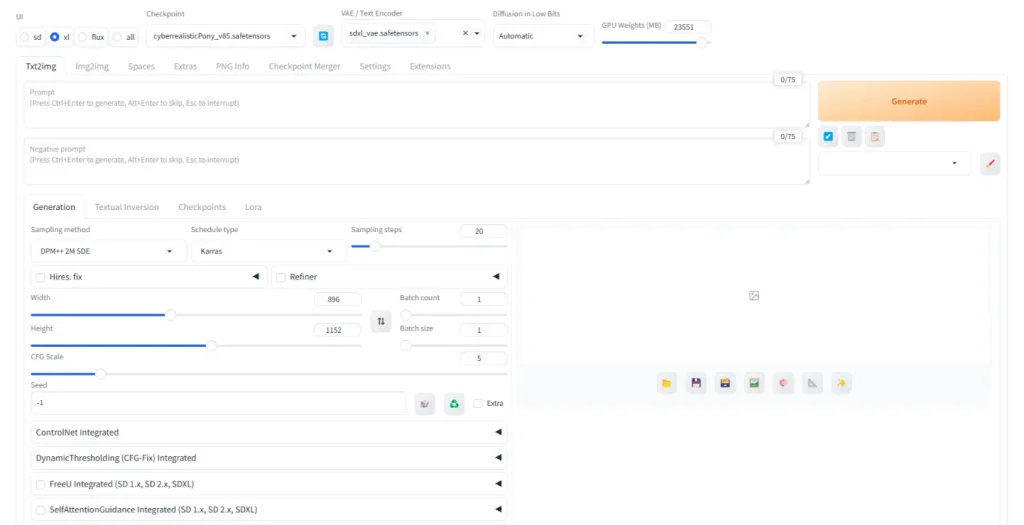
상단에 “Checkpoint”라는 토글이 있다는 것을 알 수 있습니다.
이 토글을 사용하여 stable-diffusion-webui/models/Stable-diffusion 폴더에 배치한 NSFW 모델로 전환할 수 있습니다.
이제 civitai.com으로 돌아가서 원하는 만큼 모델을 다운로드할 수 있습니다. stable-diffusion-webui/models/Stable-diffusion 폴더에 모델을 배치한 후에는 새로 고침 버튼을 클릭하세요.
3. LoRA 다운로드
이제 이미지를 생성하고 결과를 얻기 시작할 수 있습니다.
하지만 최상의 결과를 위해서는 LoRA를 몇 개 다운로드하는 것을 추천합니다.
LoRA란 무엇인가요? 특정 주제(예: 예술 스타일, 미적 필터, 캐릭터, 체형, 성행위 등)에 대해 훈련된 더 작은 모델입니다.
기본적으로 첫 번째 단계에서 다운로드한 체크포인트 모델과 조합하여 사용합니다. 모든 것에 대한 LoRA가 있으며, 일반 모델보다 훈련 속도가 빠릅니다.
LoRA를 활성화하려면 프롬프트 내에 특별한 문구를 추가해야 합니다. 이에 대한 자세한 내용은 곧 설명하겠습니다.
이번 예시에서는 더 나은 비율의 몸을 생성하는 LoRA인 breastInClass를 다운로드할 것입니다.
이 .safetensor 파일을 다운로드한 후 webui/models/Lora 폴더에 배치하세요.
4. Embedding 다운로드
이 단계는 선택 사항이지만, 이미지를 더 높은 품질로 만들기 때문에 강력히 추천합니다.
Embedding을 많은 개념의 빠른 스냅샷으로 생각하세요.
우리는 일반적으로 부정적인 embedding을 사용합니다: “나쁜 품질 이미지”와 같은 많은 부정적인 개념을 부정적인 프롬프트에 넣으면 더 나은 이미지를 얻을 수 있습니다.
easynegative라는 embedding을 다운로드하세요. 그런 다음 이 파일을 webui/embeddings 폴더에 배치하세요.
5. 프롬프트!
이제 다음 파일을 다운로드했어야 합니다:
- ChilloutMix를 다운로드하여
stable-diffusion-webui/models/Stable-diffusion에 배치하세요. - breastInClass를 다운로드하여
stable-diffusion-webui/models/Lora에 배치하세요. - EasyNegative를 다운로드하여
stable-diffusion-webui/embeddings에 배치하세요.
WebUI를 새로 고치거나 재시작하세요 (하단으로 스크롤하여 UI 새로 고침을 클릭하세요).
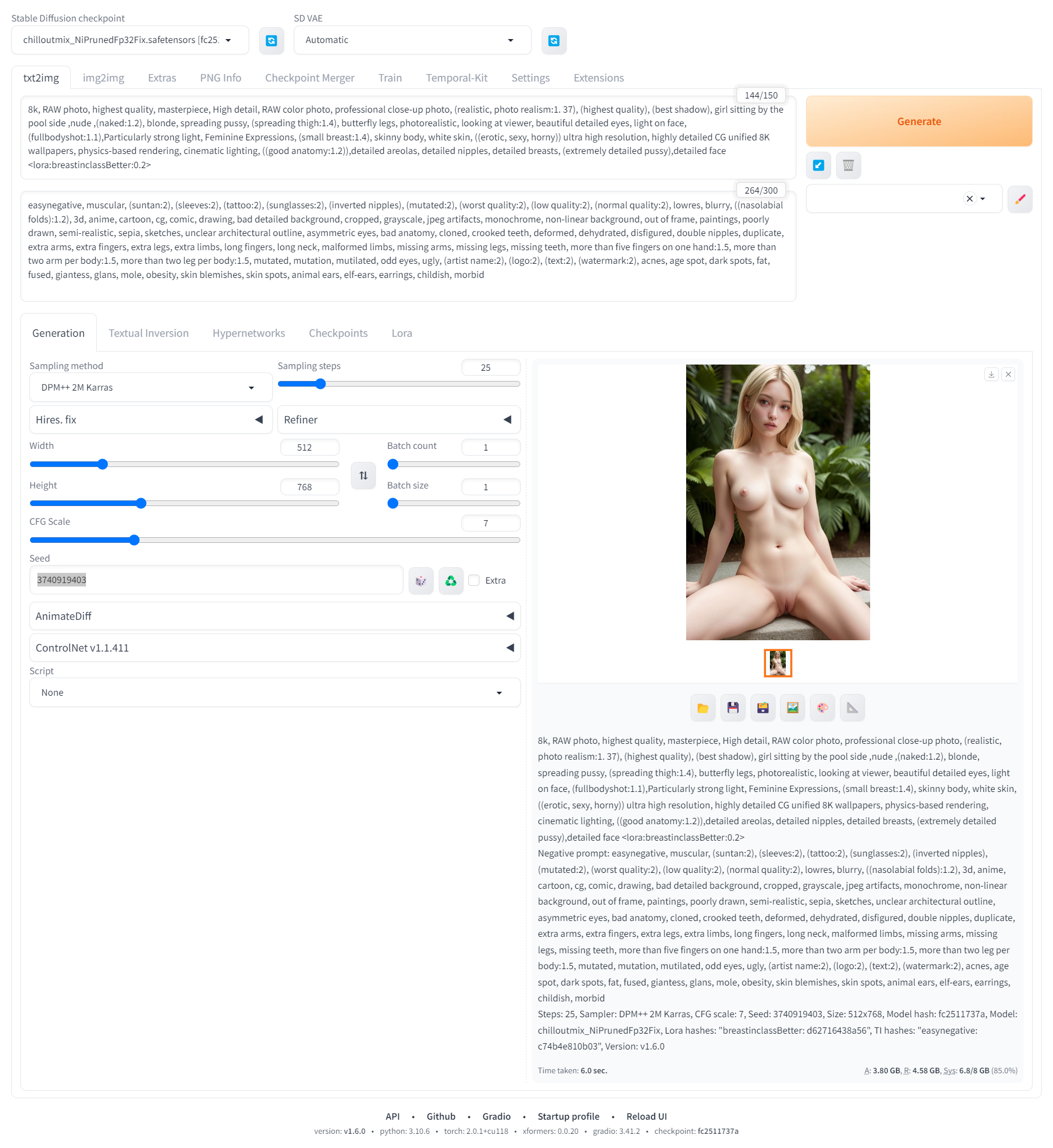
프롬프트 필드에 다음 프롬프트를 복사하여 붙여넣으세요:
8k, RAW photo, highest quality, masterpiece, High detail, RAW color photo, professional close-up photo, (realistic, photo realism:1.37), (highest quality), (best shadow), girl sitting by the pool side, nude, (naked:1.2), blonde, spreading pussy, (spreading thigh:1.4), butterfly legs, photorealistic, looking at viewer, beautiful detailed eyes, light on face, (fullbodyshot:1.1), Particularly strong light, Feminine Expressions, (small breast:1.4), skinny body, white skin, ((erotic, sexy, horny)) ultra high resolution, highly detailed CG unified 8K wallpapers, physics-based rendering, cinematic lighting, ((good anatomy:1.2)), detailed areolas, detailed nipples, detailed breasts, (extremely detailed pussy), detailed face <lora:breastinclassBetter:0.2>부정적인 프롬프트 필드에 다음 프롬프트를 복사하여 붙여넣으세요:
easynegative, muscular, (suntan:2), (sleeves:2), (tattoo:2), (sunglasses:2), (inverted nipples), (mutated:2), (worst quality:2), (low quality:2), (normal quality:2), lowres, blurry, ((nasolabial folds):1.2), 3d, anime, cartoon, cg, comic, drawing, bad detailed background, cropped, grayscale, jpeg artifacts, monochrome, non-linear background, out of frame, paintings, poorly drawn, semi-realistic, sepia, sketches, unclear architectural outline, asymmetric eyes, bad anatomy, cloned, crooked teeth, deformed, dehydrated, disfigured, double nipples, duplicate, extra arms, extra fingers, extra legs, extra limbs, long fingers, long neck, malformed limbs, missing arms, missing legs, missing teeth, more than five fingers on one hand:1.5, more than two arm per body:1.5, more than two leg per body:1.5, mutated, mutation, mutilated, odd eyes, ugly, (artist name:2), (logo:2), (text:2), (watermark:2), acnes, age spot, dark spots, fat, fused, giantess, glans, mole, obesity, skin blemishes, skin spots, animal ears, elf-ears, earrings, childish, morbid위의 내용에 대한 몇 가지 주의사항:
- LoRA가 프롬프트 끝에 사용되는 방식을 주목하세요
<lora:FILENAME_OF_LORA_WITHOUT_EXTENSION:WEIGHT>
여기서 weight는 0-1 사이의 숫자로 LoRA의 효과 강도를 설명합니다. 단축키: 부정적인 프롬프트 아래의 LoRA 탭을 클릭하여 모든 LoRA를 확인할 수 있으며, 클릭하여 자동으로 LoRA 문구를 프롬프트에 추가할 수 있습니다.
- 부정적인 프롬프트 내에서 embedding “easynegative”도 보일 것입니다: embedding을 사용하려면 언급하세요.
다음 설정을 변경하세요:
- 높이 슬라이더를 768로 설정하고 너비는 512로 유지하여 초상화에 더 적합한 비율을 만드세요.
- 샘플링 방법을 DPM++ 2M Karras로 변경하세요. 이것은 제가 80%의 생성에 사용하는 매우 다재다능한 샘플링 방법입니다.
- 시드를 3740919403로 설정하세요. 숫자 자체는 중요하지 않지만, 동일한 시드와 동일한 설정 및 프롬프트는 항상 동일한 이미지를 생성합니다. 따라서 저와 동일한 시드를 사용하면 이 가이드의 이미지를 신뢰성 있게 재현할 수 있습니다.
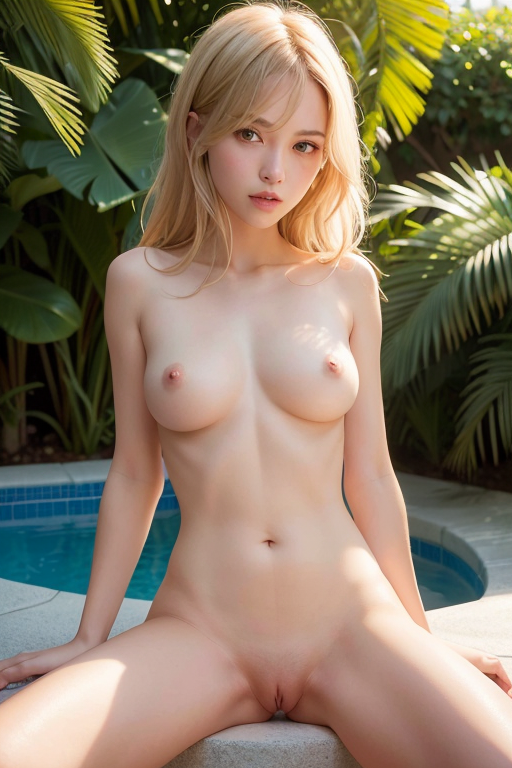
그런 다음 생성 버튼을 클릭하세요! 제가 얻은 결과는 다음과 같습니다:
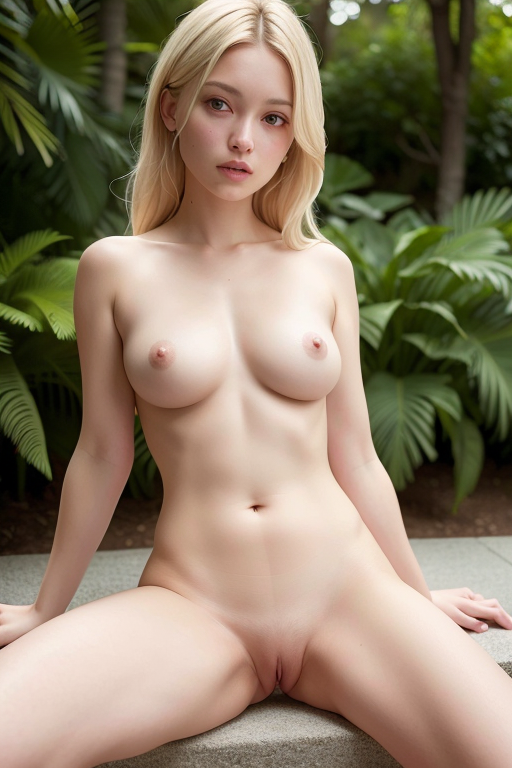
나쁜/추한 결과가 나오면 LoRA와 embedding이 다운로드되어 적절한 폴더에 배치되고 긍정적 및 부정적 프롬프트에서 올바르게 사용되었는지 확인하세요. 또한 DPM++ 2M Karras 샘플링 방법을 사용하고 있는지 확인하세요.
우리는 여기서 특별한 작업을 하지 않습니다. 기본 설정에서 변경한 유일한 것은 높이를 늘리고 샘플링 방법을 변경하며 시드 값을 설정한 것입니다.
시드 필드 옆의 주사위를 클릭하여 시드를 -1로 변경할 수도 있습니다. 이는 “매번 랜덤 시드”를 의미합니다. 이렇게 하면 매번 생성할 때마다 고유한 이미지를 생성합니다.
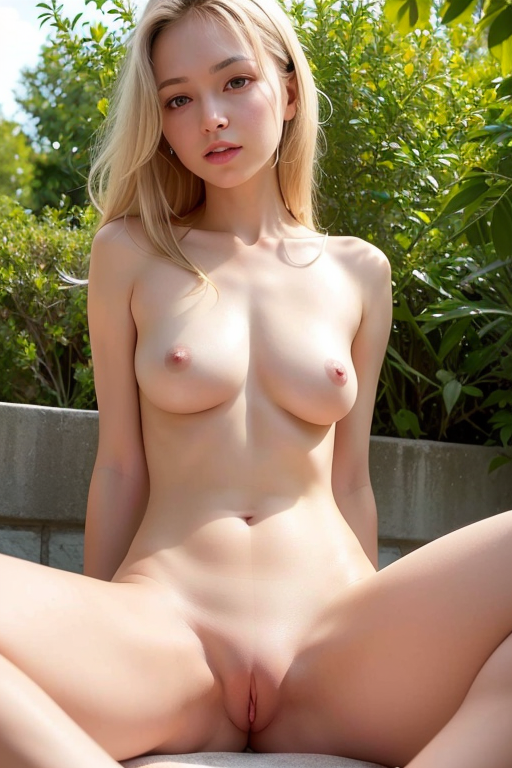
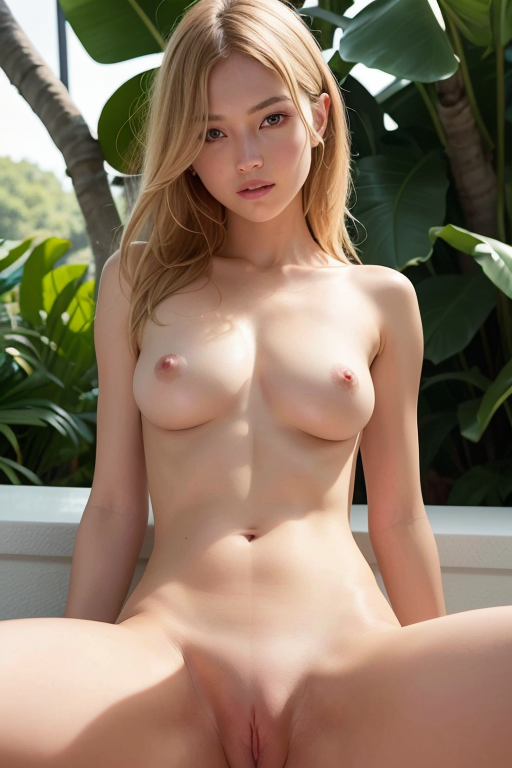
다음은 무작위 시드로 프롬프트의 몇 가지 변형입니다:
다음으로, 성행위를 시도해 보겠습니다.
여기서 단축키: 각 프롬프트를 복사하고 수동으로 설정을 조정하는 대신, 이 전체 블록을 프롬프트 필드에 복사하세요. “Generate” 버튼 아래의 파란색 버튼을 누르면 AUTOMATIC1111이 자동으로 프롬프트와 설정을 채워줍니다.
(1boy, 1girl, penetration, girl lying on back, spread legs:1.6) (a girl having sex in a missionary position:1.2) (missionary sex, sex, penis in pussy, pussy out, lying in bed, orgasm face, blush, sweaty) beautiful, masterpiece, best quality, extremely detailed face, perfect lighting (skinny) ((puffy eyes)), small breasts, swept bangs, walking, outdoors, sunshine, light_rays, fantasy, rococo, hair_flower, low tied hair, smile, half-closed eyes, , dating, (Nude), nsfw, (heavy breathing:1.2), tears, crying, blush, wet, sweat, <lora:breastinclassBetter:0.1>

Negative prompt: paintings, sketches, (worst quality:2), (low quality:2), (normal quality:2), lowres, normal quality, ((monochrome)), ((grayscale)), skin spots, acnes, skin blemishes, age spot, (ugly:1.331), (duplicate:1.331), (morbid:1.21), (mutilated:1.21), (tranny:1.331), mutated hands, (poorly drawn hands:1.331), blurry, (bad anatomy:1.21), (bad proportions:1.331), extra limbs, (disfigured:1.331), (missing arms:1.331), (extra legs:1.331), (fused fingers:1.61051), (too many fingers:1.61051), (unclear eyes:1.331), bad hands, missing fingers, extra digit, bad body, pubic

Steps: 25, Sampler: DPM++ 2M Karras, CFG scale: 7, Seed: 1410211169, Size: 512x768, Model hash: fc2511737a, Model: chilloutmix_NiPrunedFp32Fix, Lora hashes: "breastinclassBetter: d62716438a56", Version: v1.6.0
그런 다음 단순히 생성 버튼을 클릭하세요. 제가 얻은 결과는 다음과 같습니다:
같은 프롬프트로 무작위 시드를 사용한 다른 생성물도 있습니다:
다양한 모델은 서로 다른 작업에 더 적합합니다. 다른 추천을 위해 이 NSFW 모델 목록을 확인하세요.
Chilloutmix는 성행위에 그다지 뛰어나지 않아서 이 프롬프트는 예측할 수 없는 결과를 생성합니다. 위의 결과는 선별된 것입니다.
6. 애니메이션 헨타이 모델 사용하기
이제 애니메이션 모델을 사용하여 헨타이를 생성해 보겠습니다.
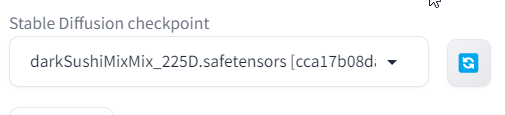
DarkSushiMix라는 모델을 다운로드하세요. 이는 매우 좋은 애니메이션 모델입니다. 모델 폴더 stable-diffusion-webui/models/Stable-diffusion에 배치하세요.
Stable Diffusion 체크포인트 필드에서 이 모델을 선택했는지 확인하세요: (보이지 않으면 파란색 새로 고침 버튼을 클릭하세요).
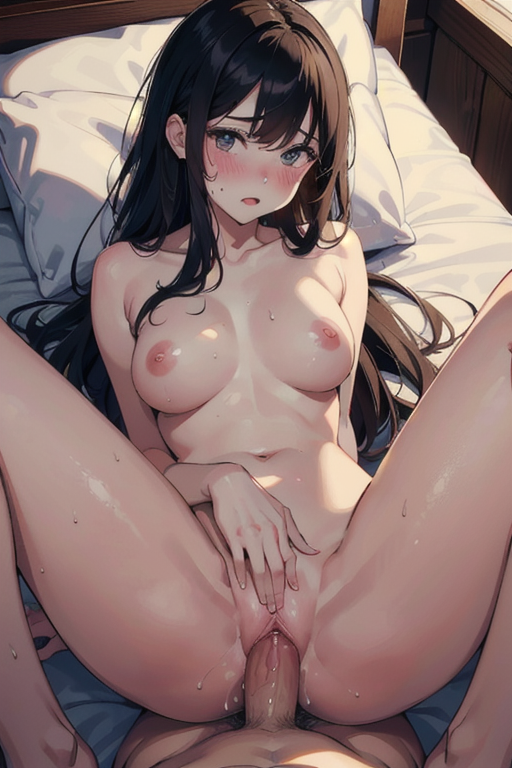
다음 프롬프트와 설정을 사용하세요 (이전과 동일한 방법으로, 이를 프롬프트 필드에 복사하여 붙여넣고 생성 버튼 아래의 파란색 화살표를 클릭하세요):
masterpiece, best quality, beautiful lighting, (1boy, 1girl, penetration, spread legs, a girl having sex in a missionary position:1.2) (sex, penis in pussy, pussy out, lying in bed, orgasm face, blush, sweaty) nude nsfw, long hair, skinny, wide hips, medium breasts,
Negative prompt: paintings, sketches, (worst quality:2), (low quality:2), (normal quality:2), lowres, normal quality, ((monochrome)), ((grayscale)), skin spots, acnes, skin blemishes, age spot, (ugly:1.331), (duplicate:1.331), (morbid:1.21), (mutilated:1.21), (tranny:1.331), mutated hands, (poorly drawn hands:1.331), blurry, (bad anatomy:1.21), (bad proportions:1.331), extra limbs, (disfigured:1.331), (missing arms:1.331), (extra legs:1.331), (fused fingers:1.61051), (too many fingers:1.61051), (unclear eyes:1.331), bad hands, missing fingers, extra digit, bad body, pubic

Steps: 25, Sampler: DPM++ 2M Karras, CFG scale: 7, Seed: 338664335, Size: 512x768, Model hash: cca17b08da, Model: darkSushiMixMix_225D, Version: v1.6.0
이 결과를 얻어야 합니다:
8. Pony Diffusion 사용하기
헨타이 가이드는 Pony Diffusion 섹션이 없으면 완전하지 않습니다.
Pony Diffusion은 내 작은 말 캐릭터(및 그들의 포르노)를 그릴 수 있는 모델로 시작되었습니다.
제작자들은 furry 아트와 애니메이션을 포함한 다른 콘텐츠를 추가하면 모델이 더 좋아진다는 것을 깨달았습니다. 많은 니치 페티시와 성행위에 대해 훈련되었기 때문에, 헨타이와 페티시 결합에서 대부분의 다른 기존 모델보다 더 나아졌습니다.
오늘날 그것의 사용은 Pony 포르노를 넘어섭니다; 대부분의 사람들은 애니메이션과 스타일화된 포르노를 생성하는 데 사용합니다.
이제 기본 모델 Pony Diffusion XL 또는 그것을 기반으로 훈련된 커스텀 모델을 사용할 수 있습니다. 오늘은 더 나은 현실적인 포니 모델 중 하나인 Pony Realism을 사용할 것입니다.
다운로드한 모델을 모델 폴더 stable-diffusion-webui/models/Stable-diffusion에 배치하세요.
그런 다음 다음 LoRA를 다운로드하세요:
이전과 동일하게 LoRA를 stable-diffusion-webui/models/Lora 폴더에 배치하세요.
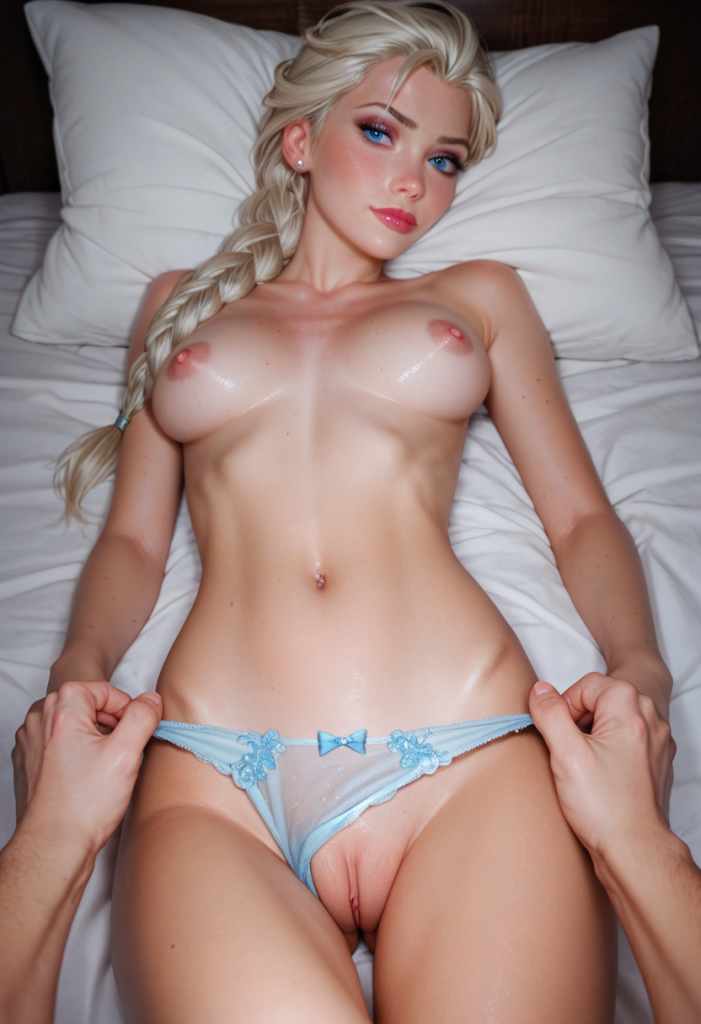
다음 프롬프트와 설정을 사용하세요 (이전과 동일한 방법으로, 이를 프롬프트 필드에 복사하여 붙여넣고 생성 버튼 아래의 파란색 화살표를 클릭하세요. 이렇게 하면 올바른 모델, 프롬프트 및 설정이 자동으로 설정됩니다):
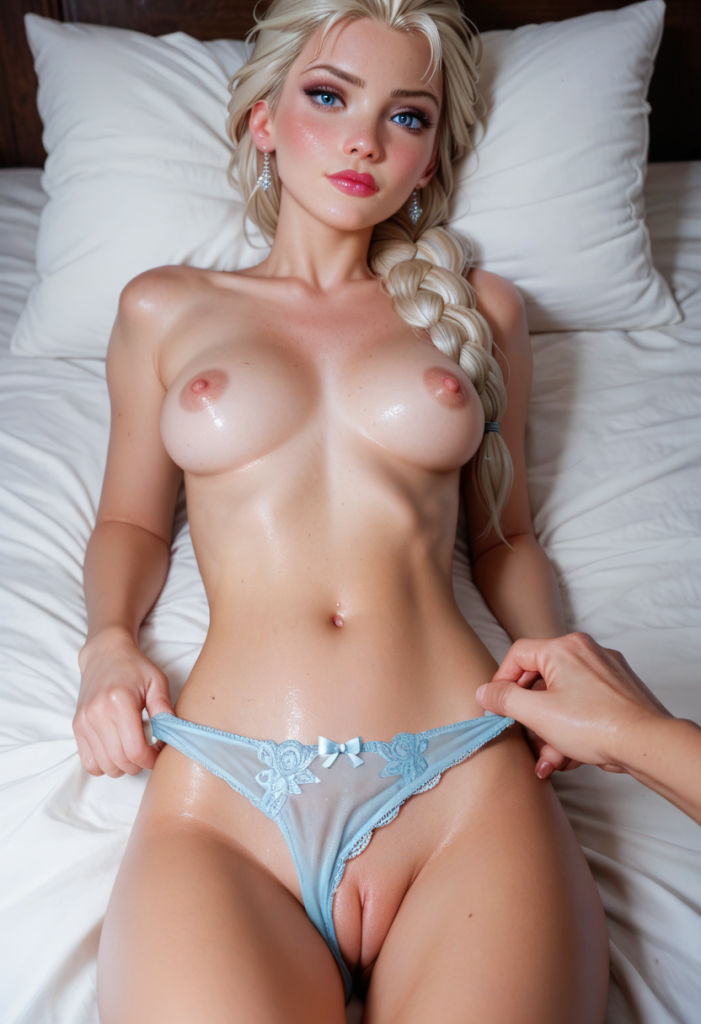
score_9, score_8_up, score_7_up, score_6_up, 1girl, on bed, medium breasts, elsa frozen, long braid over shoulder, platinum blonde, tiny waist, exposed breasts, close up, head on pillow, pov, pussy, wet spot, Ice blue panties, grool, (pov hands removing panties, /male hands removing panties/), petite, <lora:Fant5yP0ny:0.6> <lora:Rawfully_Stylish_v0.2:0.6>
Negative prompt: score_6, score_5, score_4, pony, gaping, censored, furry, child, kid, chibi, 3d, photo, monochrome, elven ears, anime, multiple cocks, extra legs, extra hands, mutated legs, mutated hands, open mouth, closed eyes, big man, high man, muscular man, muscular hands, face,

Steps: 30, Sampler: Euler a, Schedule type: Automatic, CFG scale: 7, Seed: 28174397, Size: 832x1216, Model hash: 059934ff58, Model: ponyRealism_v21MainVAE, Clip skip: 2, Lora hashes: "Fant5yP0ny: a493698332df, Rawfully_Stylish_v0.2: 9ebd469fe368", Version: v1.9.4
이와 같은 결과를 얻어야 합니다:
이 글이 마음에 드셨나요?
새 가이드와 NSFW AI 소식을 이메일로 받아보세요. 스팸 없이, 언제든 구독 취소할 수 있습니다.